Protect essentials, subtract the cost of alternatives, and keep delayed purchases separate. Review the following week too: a shopping pause is useful information, not a guaranteed saving or a reason to ignore a bill.
Set no-spend rules that fit an ordinary week
Write a start date, an end date and two or three optional categories to pause. A useful rule is specific enough to settle a real choice: “No new clothes or paid takeaway lunches this week,” rather than “Spend nothing.” Pick something you want to understand about your spending, such as whether lunch purchases are filling a convenience gap.
Keep rent, debt payments, utilities, necessary transport, adequate food, medication, care expenses and other obligations outside the challenge. A required purchase is not a failed day. Do not delay a payment just to preserve a streak or spend extra before the start to make the week appear cheaper.
The CFPB spending tracker separates spending categories and encourages reviewing needs and obligations before choosing changes. A seven-day experiment cannot capture every monthly or annual expense, so use it alongside a wider spending review, not instead of one.

Plan the inconvenient moments before they happen
Look at your calendar, food supplies, work shifts and essential travel. If the paused category is takeaway lunch, decide what you can realistically bring or buy instead. If it is entertainment, choose an option you actually want to do. A rule with no usable alternative is harder to test fairly.
| Day | Useful task | Record to keep |
|---|---|---|
| 1 | Confirm allowed essentials and paused categories | Start date, end date and exceptions |
| 2 | Try one practical replacement | Its actual cost, not just the price avoided |
| 3 | Put an optional purchase on a later-review list | Why you wanted it and when to reconsider it |
| 4 | Check what the household still needs | Essential purchases paid normally |
| 5 | Review one recurring optional charge | Cancellation confirmation and next bill date |
| 6 | Choose an affordable activity | Any transport, food or entry costs |
| 7 | Reconcile the diary and reserved money | What was avoided, deferred and really allocated |
You can begin on any day. The numbered tasks are an original planning template, not a requirement to cancel a service or miss an outing. Agree on shared purchases with other people in your household instead of changing their commitments without discussion.
The CFPB expense-reduction worksheet offers options to assess for your own situation. Choosing a lower-cost alternative does not establish that the remainder is affordable to save.
Use a diary that does not inflate the result
The fictional example below uses US dollars throughout. The comparison prices and choices are invented, not typical costs or promised results. “Reduced cost” means the difference from the stated purchase in this example, after subtracting a replacement. “Reserved for goal” means money genuinely allocated to the goal after checking other commitments. Neither column is a complete household budget.
| Day | Choice | How to count it | Reduced cost | Reserved for goal |
|---|---|---|---|---|
| Monday | Skip a $5 café coffee | Avoided | $5.00 | $5.00 |
| Tuesday | Replace a $14 lunch with $4 of ingredients | Replaced: subtract the alternative cost | $10.00 | $10.00 |
| Wednesday | Wait to buy a $35 jacket that is still wanted | Deferred, not counted as a lasting reduction | $0.00 | $0.00 |
| Thursday | Pay $32 for needed groceries | Essential spending stays allowed | $0.00 | $0.00 |
| Friday | Cancel an $8 subscription before a later renewal | Future charge: outside this week | $0.00 | $0.00 |
| Saturday | Replace an $18 outing with a $6 picnic | Replaced: subtract the alternative cost | $12.00 | $12.00 |
| Sunday | Skip a $4 café stop; leave the money unallocated | Avoided, but not contributed to the goal | $4.00 | $0.00 |
The counted cost reductions are $5 + ($14 − $4) + ($18 − $6) + $4 = $31. Actual goal contributions are $5 + $10 + $12 = $27. Sunday’s remaining $4 is not added to the goal because it was never allocated there. It may still be available, but that needs a separate check.
The $35 jacket is postponed, not removed from the plan. Adding it would turn a temporary pause into a fictional saving. The subscription’s $8 renewal is after this week; confirm that no charge occurs on its original due date before counting that later change in the appropriate period. Do not multiply it into a year’s saving on day one.
Include the real cost of a substitute. Calling Tuesday’s result $14 ignores the $4 ingredients; calling Saturday’s result $18 ignores the $6 picnic. If groceries were already on hand, record a stated basis for the comparison instead of assuming every alternative has a zero cost. The goal balance should still come from real allocations, not these estimated comparisons.
Review day eight instead of rewarding yourself with the whole total
Revisit the deferred list after the challenge. Do you still want the item? Was it needed, affordable and already budgeted? Buying the jacket later does not erase the three days of useful observations; it confirms why that $35 was never counted as a lasting reduction.
Also note any extra spending prompted by the end of the challenge. In this example, suppose an additional $9 treat is paid from the $27 goal allocation. Record a $9 withdrawal: the goal now contains $18, not $27. For this limited comparison, the $31 identified reductions minus the $9 additional cost leave $22. Those two figures describe different things: the amount still allocated to the goal and the cost difference across the listed choices.
This arithmetic assumes no other changes, fees or income and does not measure overall financial progress. Record essential costs and unexpected expenses honestly. If pausing optional purchases does not resolve a cash-flow shortfall, a longer challenge is not automatically the answer; review the wider budget and available support for your situation.
Choose one workable change to continue, rather than turning every optional purchase into a permanent ban. A packed lunch on two suitable days might be more practical than a rule that cannot fit your schedule.
Record completed contributions in Frugal, not hypothetical savings
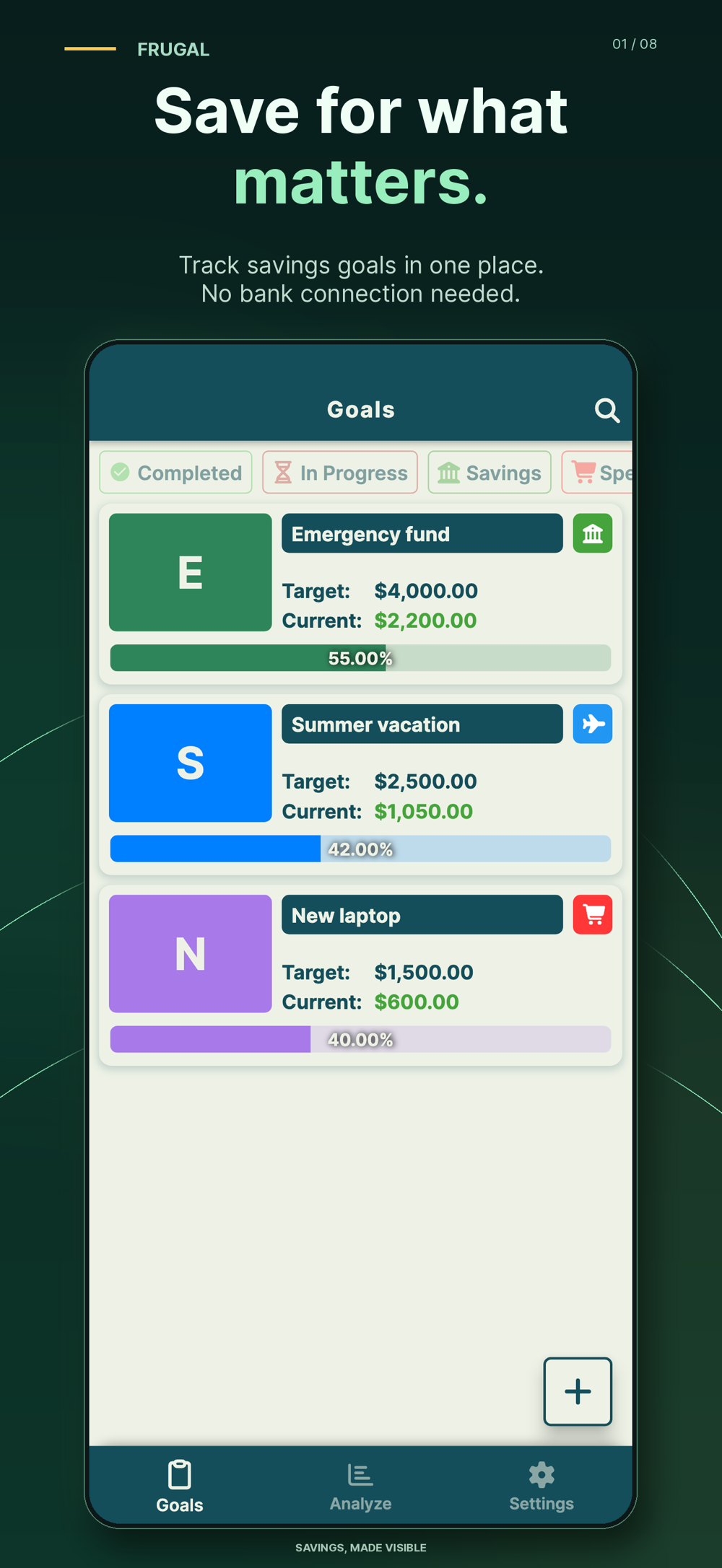
When you have checked that money is available and genuinely reserved, Frugal for iPhone and Android can keep the goal target and your manual contribution history together. For the example, record the three actual contributions totaling $27. If the $9 withdrawal happens later, record that reduction too. Keep the skipped-purchase diary and deferred list in a separate note.
The current App Store listing and Google Play listing describe manual entries, progress views and reminders. Frugal does not connect to a bank, detect purchases, hold funds or make transfers. Setting a reminder is not proof that a contribution happened.
The app is free to download with ads and feature limits; Premium includes unlimited goals and PDF/Excel exports. This website diary is an original teaching example, not an automatic no-spend feature or an app import. If you prefer a sheet for the diary and an app for completed contributions, see the savings app and spreadsheet comparison.
Copy this short no-spend worksheet into your own notes
Use these prompts before and after the week. There is no required target amount; a clear record is more useful than a large guessed total.
| Prompt | What to write |
|---|---|
| Dates | The start and end of the seven-day period |
| Paused categories | Two or three specific optional purchase types |
| Allowed essentials | Bills, care, food, travel and any agreed exceptions |
| Each spending choice | Date, purchase, actual alternative cost and reason |
| Outcome | Avoided, replaced, deferred, essential or future charge |
| Completed contribution | Amount and date only after money is really reserved |
| Follow-up review | Later purchases, actual withdrawals and one change to keep |
For a longer target, use the savings contribution calculation to work out a schedule, then check whether that schedule fits your budget. If income changes week to week, the irregular-income savings guide keeps deposits flexible rather than forcing a challenge amount.
This is general educational record-keeping information, not personalized financial, investment or tax advice. The goal is to understand a few spending decisions and reserve only money that is genuinely available.
Common questions
What can I buy during a no-spend challenge?
Continue paying for essentials and obligations, including adequate food, medication, bills and necessary travel. Pause only the optional categories you chose before the challenge. An essential purchase is not a failed day.
How much can I save in a no-spend week?
There is no guaranteed amount. Subtract alternative costs from the specific purchases you avoid, keep deferred purchases separate, and count only money actually allocated to a goal as a contribution. Your full budget and later spending may change the result.
Does buying something after the challenge cancel the result?
A deferred purchase was never a lasting saving in the first place. Record it when it happens. Additional spending can also reduce an earlier cost difference; if you use goal money, record the withdrawal rather than leaving the balance unchanged.
Can Frugal track skipped purchases automatically?
No. Frugal records goal amounts, contributions and withdrawals you enter manually. Keep the no-spend diary separately, then enter money actually reserved for the goal. It does not connect to a bank or move funds.
References and further reading
Published by Moocsoft, the independent studio behind Frugal. Examples and worksheets are illustrative. App features can vary by platform and version; see the store listing for current availability and in-app purchases.