Use a spreadsheet when you want custom formulas and scenario planning; use a focused tracker when quick contribution updates and visible goal progress matter more.
Compare the jobs each tool handles well
| Task | Focused tracker app | Spreadsheet |
|---|---|---|
| Create one goal quickly | Usually fast and guided | Requires a small table or template |
| Custom calculations | Uses the app’s available fields | Highly flexible formulas |
| Record a contribution | Designed for quick repeated updates | Requires opening and editing the right row |
| Visual progress | Usually built into the goal view | Must be designed or charted |
| Audit your assumptions | Review goal and contribution history | Inspect cells, formulas and notes |
Neither option moves money or proves that the tracked balance exists. Compare the record with the real account, envelope or other place where the funds are held.

Choose a spreadsheet for flexible planning
A spreadsheet is useful when you want to test several deadlines, change contribution patterns or model irregular amounts. You can keep assumptions beside the formula and see exactly how the result was calculated.
The trade-off is maintenance. A detailed sheet can become inconvenient on a phone, and one overwritten formula can quietly change later results. Protect formula cells where possible and keep planned deposits separate from completed ones.
If you need the basic contribution formula first, work through how to calculate savings goal contributions.
Choose an app for frequent progress updates
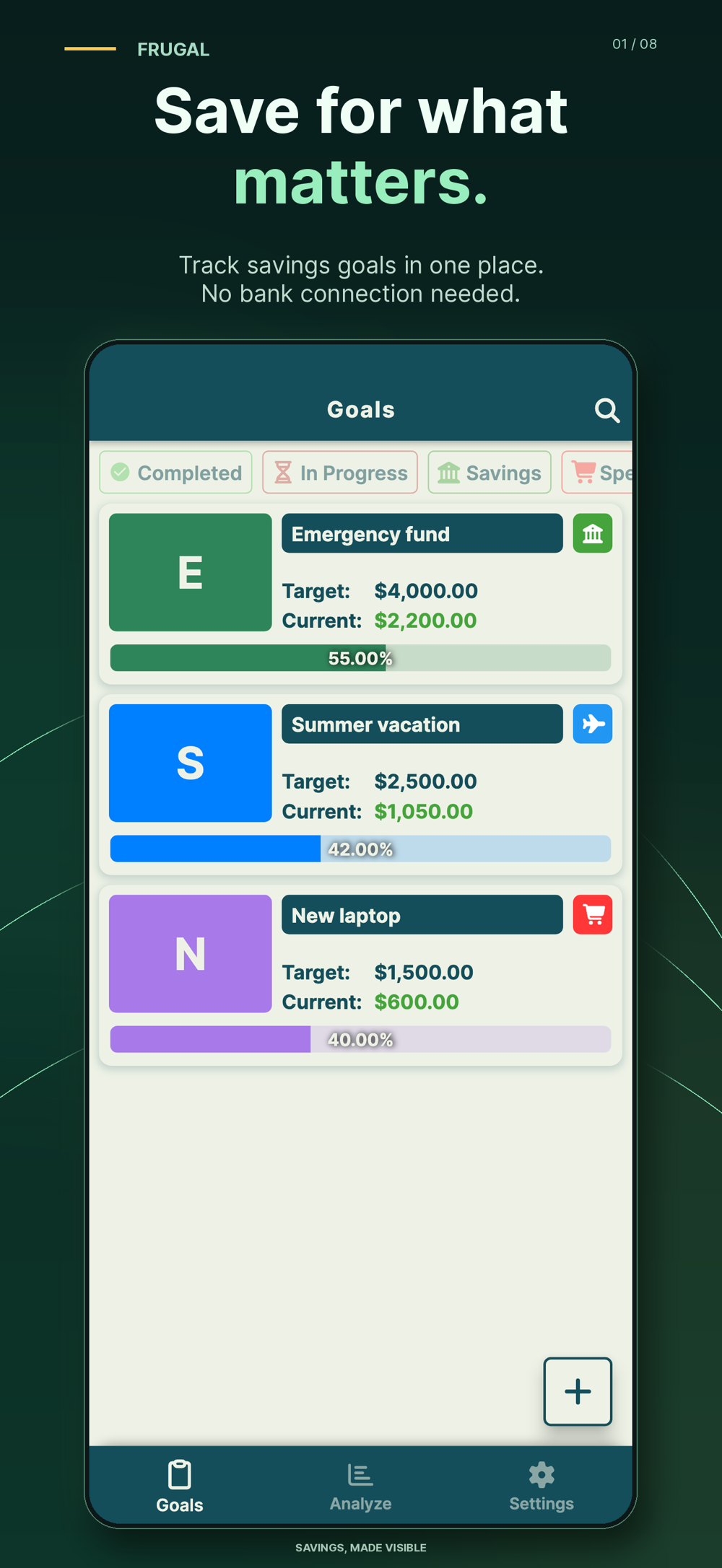
A focused tracker can reduce the steps between setting money aside and recording it. That matters when the plan includes weekly or every-paycheck contributions and you want to see the remaining amount without navigating a larger workbook.
The limitation is that the app follows its product model. If you need a specialized formula, tax treatment or complex forecast, a custom sheet or qualified advice may be more appropriate. Review the store listing for current features and in-app purchases before choosing.
Compare both methods with one worked goal
| Record | Value |
|---|---|
| Target | $2,400 |
| Starting balance | $300 |
| Amount remaining | $2,100 |
| Monthly deposits remaining | 12 |
| Simple monthly plan | $2,100 ÷ 12 = $175 |
In a spreadsheet, you might place the target, starting balance and number of deposits in separate cells, then calculate the monthly plan with a formula. In an app, you would create the target and record each actual contribution as it happens.
If the balance reaches $1,175 after five deposits, the honest remaining amount is $1,225. With seven deposits left, the revised plan is $1,225 ÷ 7 = $175. If a withdrawal changes the balance, record it rather than leaving the progress display ahead of reality.
Use a hybrid system without duplicating work
You can use a spreadsheet for initial scenario planning and a tracker for day-to-day updates. Decide which one is the source of truth. For example, keep the detailed annual budget in the sheet while Frugal holds the current target, date and completed contributions.
Reconcile the two on a fixed schedule instead of copying every note into both places. If the figures disagree, check the actual savings balance first, then correct the record that is stale.
The seven-day no-spend diary shows a useful separation: a sheet records skipped or postponed purchases, while a goal tracker records only money actually reserved.
Set up the goal in Frugal
- Name the goal for its real purpose.
- Enter the target amount and target date.
- Add money already reserved for that goal.
- Record new contributions only when they actually happen.
- Review the remaining amount after a skipped, extra or withdrawn contribution.
Try the free 52-week savings calculator if you want a quick schedule before creating the goal. Frugal is an organizational tool; it does not connect to a bank, hold funds or provide financial advice.
Common questions
Is a savings app better than a spreadsheet?
It depends on the job. A spreadsheet offers flexible formulas, while a focused app can make repeated contribution updates and progress checks quicker.
Can I use both?
Yes. Use one for scenario planning and the other for day-to-day tracking, but choose a source of truth and reconcile it with the real balance.
Does Frugal move money?
No. It records goals and contributions; it does not connect to a bank or hold funds.
References and further reading
Published by Moocsoft, the independent studio behind Frugal. Examples and worksheets are illustrative. App features can vary by platform and version; see the store listing for current availability and in-app purchases.