Set a clear target
Name the goal, choose its amount, date and currency, then personalize it with a category, color and motivational message.
 Frugal · Piggy bank & money goals
Give your savings a purpose: an emergency fund, a trip or your next laptop. Set a target and date, record the money you actually set aside, and see what remains. No bank connection required.
Free to download · iPhone, iPad and Android · Ads and feature limits
Premium adds unlimited goals, an ad-free experience, custom categories, goal images, detailed analysis and PDF/Excel exports. Frugal records the amounts you enter; it does not hold or transfer money.
A home, a trip, an emergency fund or something just for you — keep each target separate, add progress as it happens and know exactly what remains.
Name the goal, choose its amount, date and currency, then personalize it with a category, color and motivational message.
Enter real contributions and withdrawals. Review your saved amount, remaining amount, completion percentage and dated history.
Choose a one-time or recurring reminder that fits your routine. Premium also lets you add a goal image.
These official Frugal iPhone store screenshots show example goals, progress and contribution history. Unlimited goals and frequently used amounts are Premium features. The interface may vary by platform or version.
Open a screenshot to view it full size.
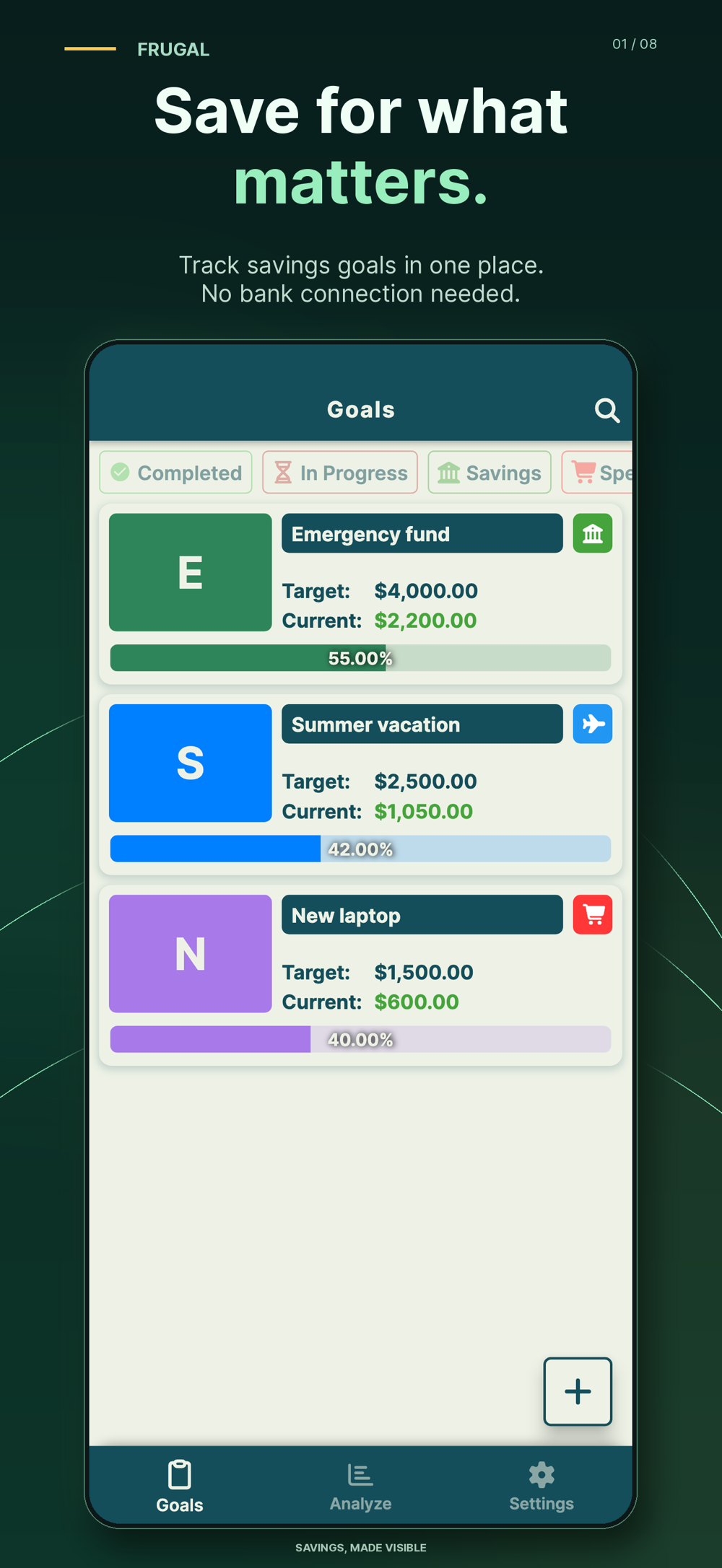
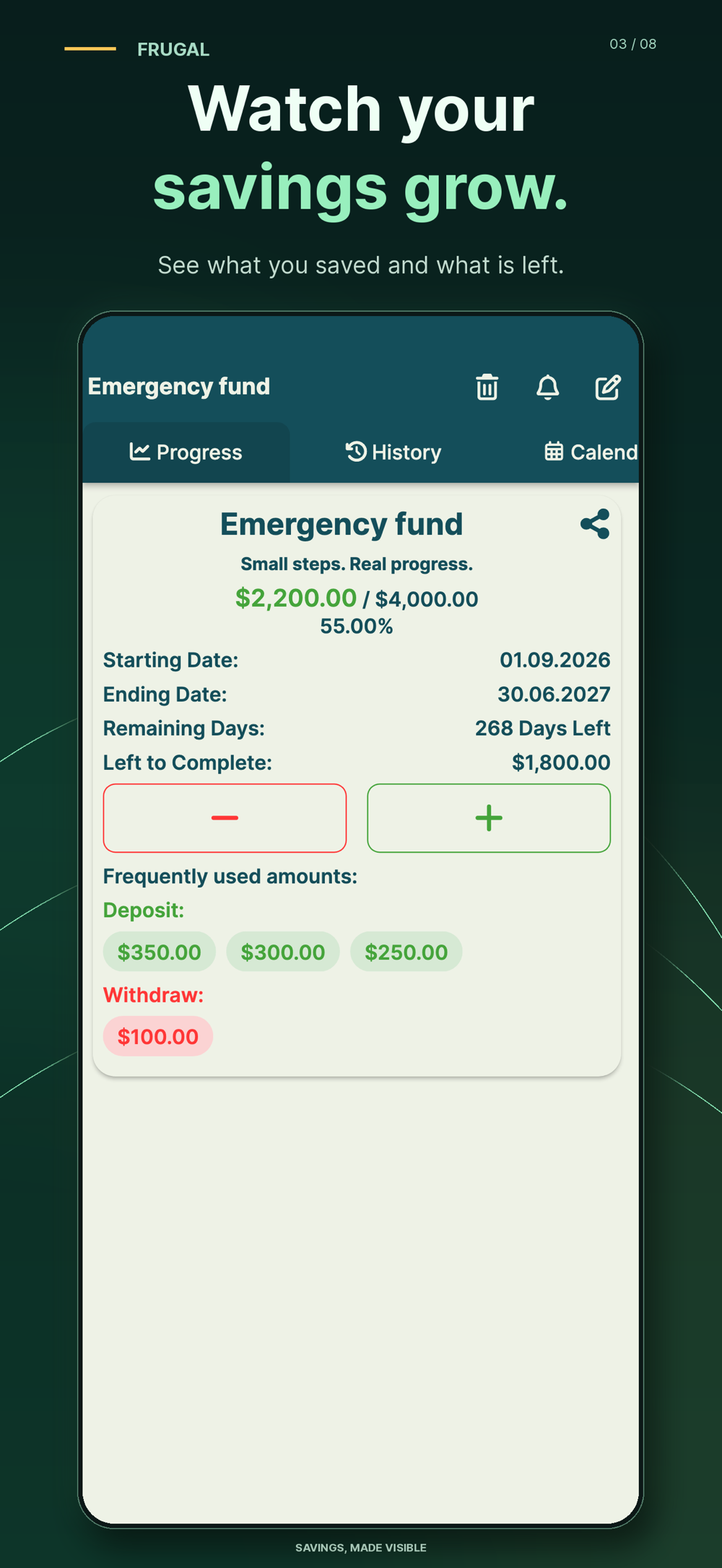
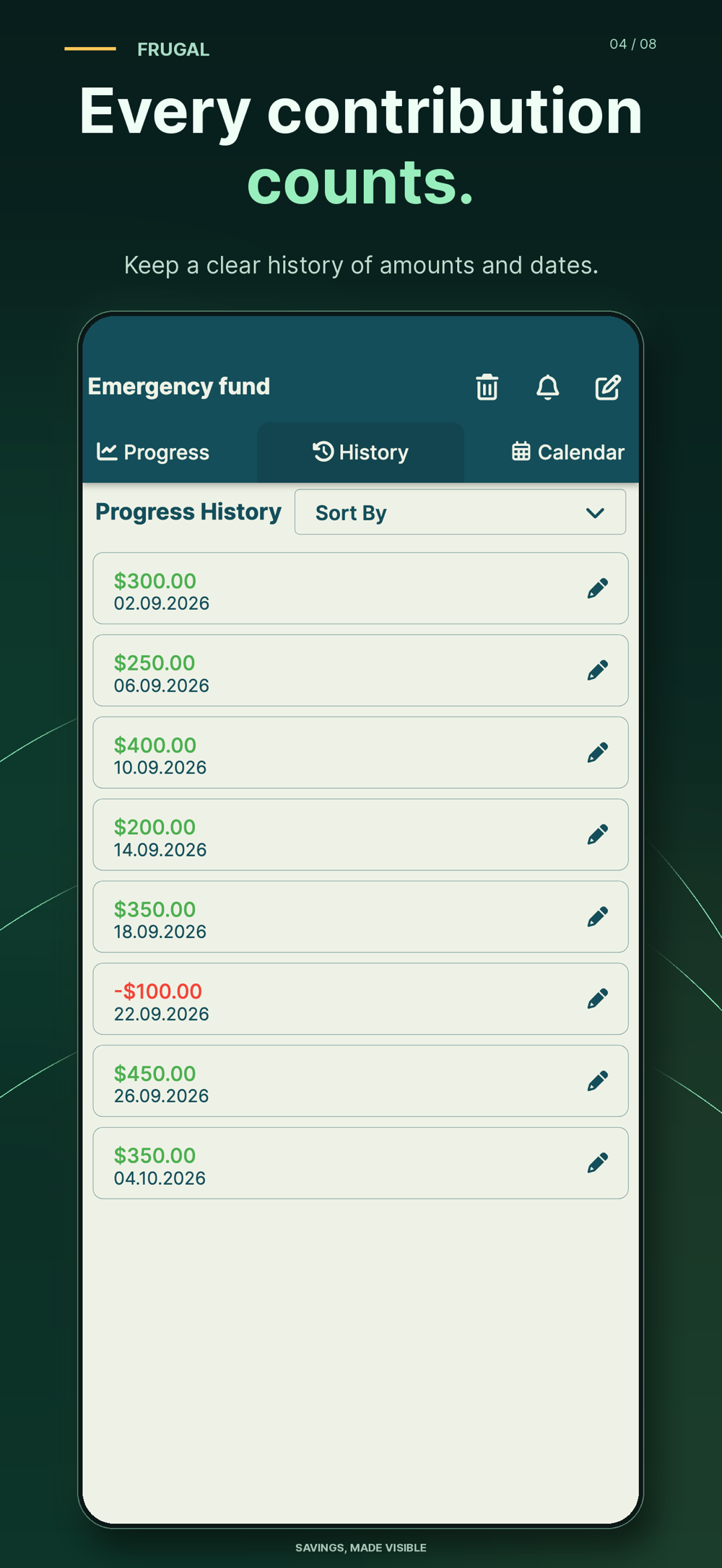
Organize targets by purpose with custom categories.
Review contribution patterns, remaining time and progress toward each target.
Record deposits and withdrawals, then reconcile the goal with the money you have actually set aside.
Export your records for a separate budget review or to share a report yourself. This is not live account collaboration.
Your goal records are stored locally on your device. Frugal tracks amounts you enter manually, not a live bank balance, and it does not hold or transfer funds. Check the current store privacy disclosures for advertising and usage-data information.
Yes. The free version contains ads and feature limits. Premium includes unlimited goals, an ad-free experience, detailed analysis, custom categories, goal images and PDF/Excel export. Check your store for current access and pricing.
No. Goal records are stored locally, and you enter contributions and withdrawals yourself. Recording an amount does not move money or confirm that a bank transfer happened.
PDF and Excel exports are available with Premium. Export your records for a separate review or to share a report yourself.
Set the target today and make every contribution count.
Create a named goal, enter the amount you need and record money you actually set aside. Keep a planned contribution separate from a completed deposit so your progress reflects the balance available for the goal.
Use the separate free savings goal calculator to subtract money already set aside from your target and split the gap across the future deposits you choose. Recalculate when a deadline changes or you miss a deposit. This website plan is not automatically imported into Frugal. The 52-week guides offer increasing, reverse and flat examples you can compare with your budget. Frugal is an organizational record; it does not hold money or execute bank transfers.
Frugal is a savings tracker for named money goals, manual contributions and withdrawals, progress history and reminders. Goal records stay on your device; no bank connection is required. Keep the recorded totals aligned with money you have actually set aside.
Three useful starting points, chosen for this app. The full reading list is one click away.
Try a realistic no-spend week without skipping essentials. Use a seven-day spending diary, count replacement costs, and separate delayed purchases from money saved.
Read the guide Saving moneyCalculate how much to save per payday or month with a deadline worksheet, dated deposit example, rounding tips and a plan for missed contributions.
Read the guide Saving moneyPlan several savings goals with one monthly budget. Use a worked allocation worksheet, check competing deadlines, and record actual deposits without double-counting.
Read the guide