Count each dumbbell’s entered load once per completed repetition. Use paired reps × combined load, or individual-side reps × one-dumbbell load—not both doubled together.
First decide what one repetition means
Before multiplying, finish this sentence: “One rep in this entry means…” A paired repetition and one alternating arm movement are different counting units.
| Your record describes | Repetition count means | Load used for a both-sides total |
|---|---|---|
| Both dumbbells moving together | One movement of the pair | Combined external load of the pair |
| Alternating arms, with total reps recorded | One arm movement at a time | One dumbbell’s load per movement |
| Separate left and right results | Completed reps for that named side | That side’s dumbbell load; add the side totals |
This guide calculates a sum of entered repetitions × external load in kg. It is not mechanical work in joules, a calorie estimate or a comparison of training effectiveness. All loads and counts below are invented worksheet figures, not a routine to follow.
A per-hand subtotal can also be a consistent logging convention. Label it as per hand; do not compare it with a later both-sides total as though the scope stayed the same.
Paired repetitions: combine the load, not the rep count too
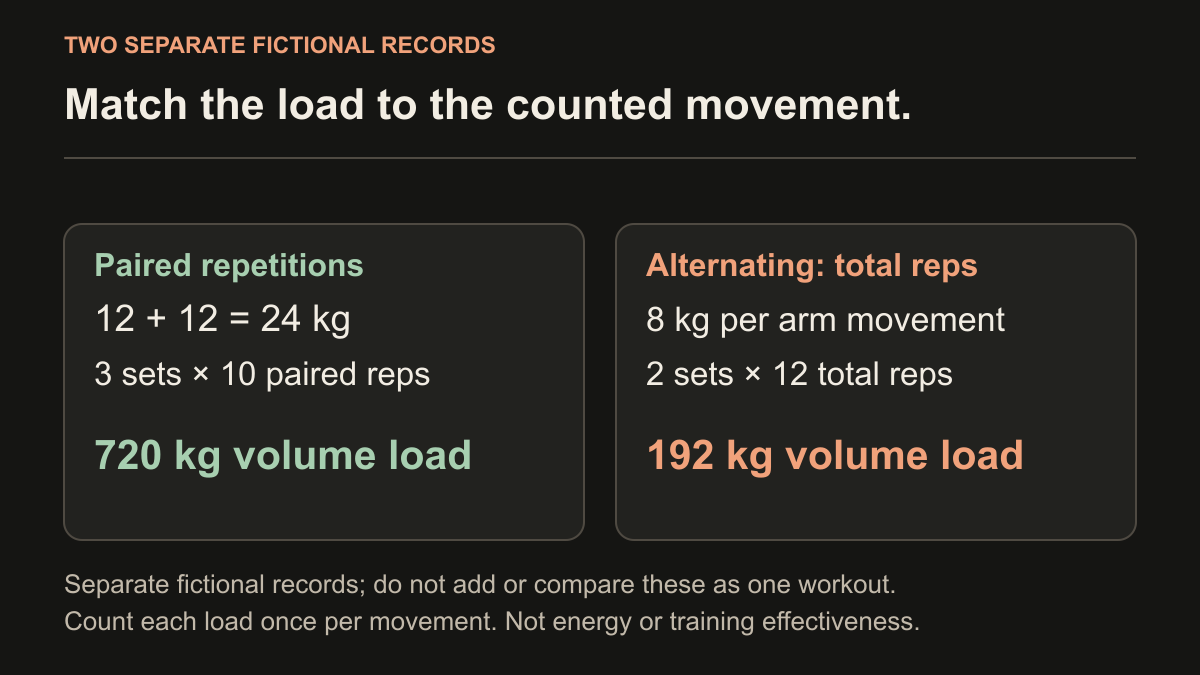
Suppose the fictional record contains three sets of 10 paired repetitions with a 12 kg dumbbell in each hand. Each counted repetition moves both dumbbells. The combined entered external load is 12 + 12 = 24 kg.
Both-sides volume = 3 × 10 × 24 = 720 kg
Checking the hands separately gives 3 × 10 × 12 = 360 kg per hand, and 360 + 360 = 720 kg. Those are two descriptions of the same entered work.
The mistake is to double the repetitions to 20 individual movements while also using the combined 24 kg: 3 × 20 × 24 = 1,440 kg. That counts each dumbbell twice. Use either paired repetitions with the pair’s load, or individual movements with one dumbbell’s load.
Alternating repetitions: check whether the total already includes both arms
Now the fictional record contains two sets of 12 total alternating repetitions with 8 kg per moving dumbbell. In each set, six movements are left and six are right. “12 total” already includes both sides.
Both-sides volume = 2 × 12 × 8 = 192 kg
The side-by-side check is (2 × 6 × 8) + (2 × 6 × 8) = 96 + 96 = 192 kg. Multiplying the 12 total movements by a combined 16 kg would incorrectly give 384 kg.
By contrast, “12 per side” would mean 24 individual movements in each set. That is not the record in this example. If an old entry says only “12,” retain the uncertainty rather than silently deciding which meaning it had.
Unequal sides: preserve the two actual results
Consider three rounds with a 10 kg dumbbell, with one completed set on each side per round. The sides do not finish with identical repetitions.
| Round | Left reps | Left volume load | Right reps | Right volume load |
|---|---|---|---|---|
| 1 | 8 | 80 kg | 8 | 80 kg |
| 2 | 8 | 80 kg | 7 | 70 kg |
| 3 | 7 | 70 kg | 6 | 60 kg |
| Total | 23 | 230 kg | 21 | 210 kg |
Both-sides volume = (23 × 10) + (21 × 10) = 440 kg
This is six side-specific sets and 44 individual repetitions, organized into three rounds. Label the set scope instead of calling it six paired sets.
Copying the left result to the right would report 460 kg, overstating the recorded total by 20 kg. Do not average or mirror the results to fill a missing side. A missing result remains unknown; it is different from an explicitly recorded zero-repetition attempt.
Copy the matching entries into the free calculator
The free workout volume calculator multiplies the numbers you enter; it does not detect pairs, sides or an exercise’s technique. The table below deliberately calculates a both-sides external-load total for each complete example.
| Example / row label | Sets | Reps in the row | Entered kg | Volume load |
|---|---|---|---|---|
| Paired example — combined dumbbell load | 3 | 10 paired reps | 24 | 720 kg |
| Alternating example — total individual reps | 2 | 12 total reps | 8 | 192 kg |
| Unequal example — left round 1 | 1 | 8 | 10 | 80 kg |
| Unequal example — right round 1 | 1 | 8 | 10 | 80 kg |
| Unequal example — left round 2 | 1 | 8 | 10 | 80 kg |
| Unequal example — right round 2 | 1 | 7 | 10 | 70 kg |
| Unequal example — left round 3 | 1 | 7 | 10 | 70 kg |
| Unequal example — right round 3 | 1 | 6 | 10 | 60 kg |
Calculate each complete example separately. Do not add the paired, alternating and unequal examples as though they were one workout. In each input, type the number only; the wording in this worksheet is the row label. The six unequal-side rows total 440 kg.
Keep the calculator in kilograms for these examples. Changing its kg/lb selector changes a label, not existing values. Its CSV is a free browser output, not an automatic import into Did You Lift.
Check yourself: 16 total alternating movements at 10 kg. Is the total 160 or 320 kg?
160 kg: 16 × 10. The 16 total movements already include both sides. A 320 kg result would require a different record, such as 16 completed movements per side—not the stated 16 total.
Put the convention in your app note, not in an assumption
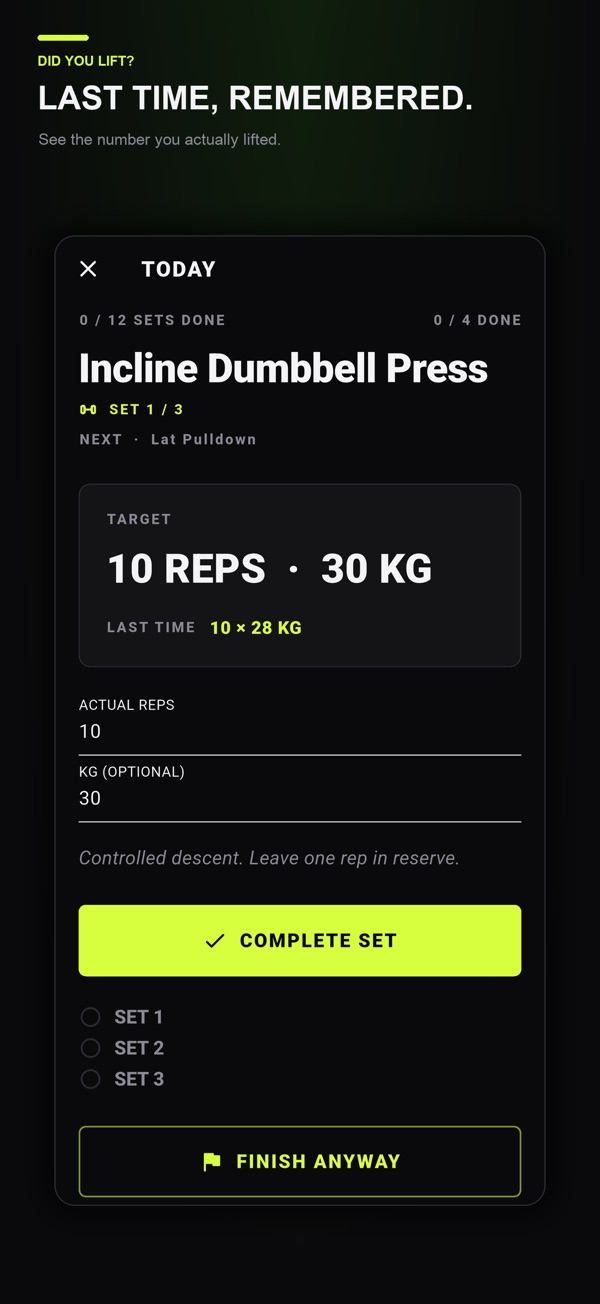
The official Did You Lift iOS listing describes individual strength-set targets in reps and kilograms, actual reps and weight, an optional exercise note and the automatic rest timer. A practical note could say: “12 kg per dumbbell; 10 reps means both arms together.” For alternating work, specify “12 total alternating reps” or “12 per side.”
If your app target is 12 kg per dumbbell, keep that meaning explicit. The 24 kg in the paired calculator row above is a combined-load calculation convention; it is not an instruction to replace a per-dumbbell target with 24 kg. A per-hand subtotal and a both-sides total need different labels.
Separate side-specific records when you need to retain unequal results; if your chosen layout does not represent them cleanly, keep a separate side note. This guide does not promise dedicated left/right fields, automatic pair doubling or an automatic sidedness report in the app.
Did You Lift is free to download on iPhone, iPad and Android with optional one-time Lifetime Premium. On iOS, previous logged values and advanced week saving, copying and sharing require Premium. Check your store for current access. Use the download area for the actual set-log workflow; use the general workout-log template for the rest of the record. Neither the worksheet nor the app chooses a suitable training load for you.
Common questions
Should I log one dumbbell’s weight or both?
Choose and state the convention. For a both-sides volume total, paired repetitions use the combined load; individual left/right repetitions use the load moved by that side. A per-hand log is a different scope and must be labeled.
Do I double alternating dumbbell reps?
Only when the stated count is per side and you are converting it to a total individual-repetition count. Do not double a count that already includes both sides. Match the weight to the counted movement.
What if one arm completes fewer repetitions?
Keep each side’s actual result. Multiply that side’s completed repetitions by its entered load, then add the side totals. Do not mirror the stronger side or invent a missing result.
Does the calculator automatically recognize two dumbbells?
No. It multiplies entered sets, reps and weight. The guide provides explicit rows for a paired load, alternating total reps and separate side results.
Does Did You Lift automatically double dumbbell weights?
This guide makes no such claim. Use the exercise note to preserve your convention and keep the separate arithmetic clearly labeled.
References and further reading
Published by Moocsoft, the independent studio behind Did You Lift. Examples and worksheets are illustrative. App features can vary by platform and version; see the store listing for current availability and in-app purchases.