Keep warm-up and working sets identifiable. Compare working sets with working sets, and label any all-sets total separately.
What is the difference between warm-up and working sets?
In this logging method, a warm-up set is a preparatory set before the main work for an exercise. A working set is part of the main work specified in your existing program. The distinction describes the set’s purpose, not simply whether its weight looks light or heavy.
A lighter back-off set can still be a working set. A working set does not have to be taken to failure to earn that label. Follow the structure of your program rather than inventing a weight cutoff in the log.
Research also distinguishes warm-up procedures from the subsequent exercise sets: see Ribeiro and colleagues’ resistance-training study. Its experimental protocol is not a personalized routine. This guide organizes records; it does not prescribe warm-up loads, repetitions or an exercise program.
| Set type | What the entry preserves | How to review it |
|---|---|---|
| Warm-up | Preparation actually performed, including reps and load | Keep visible, with a clear preparation label |
| Working | Main-work results from your existing program | Compare with the same exercise and set scope next time |

Should warm-up sets count in workout volume?
They can be included in an all-recorded-sets volume load, but they are excluded from a total explicitly labeled working-set volume load. Both calculations describe the entered data. They answer different questions, so do not switch between them without saying so.
For example, “five completed sets” might mean two preparation sets and three working sets. It is not the same record as five working sets. Keep the two counts beside the totals when you review a session.
Volume load here means the sum of repetitions × entered external load. It does not measure muscle growth, effort, readiness or training quality. The workout-volume guide explains the formula and equipment conventions in more detail.
Worked example: one exercise, two separate subtotals
The following invented machine-exercise record uses the same kilogram-label convention throughout. The numbers illustrate bookkeeping only; they are not targets to follow.
| Entry | Type | Actual reps | Entered load | Volume load |
|---|---|---|---|---|
| Warm-up 1 | Preparation | 10 | 20 kg | 200 kg |
| Warm-up 2 | Preparation | 5 | 30 kg | 150 kg |
| Working 1 | Main work | 8 | 40 kg | 320 kg |
| Working 2 | Main work | 8 | 40 kg | 320 kg |
| Working 3 | Main work | 8 | 40 kg | 320 kg |
Warm-up volume: (10 × 20) + (5 × 30) = 350 kg
Working-set volume: 3 × 8 × 40 = 960 kg
All recorded sets: 350 + 960 = 1,310 kg
The complete record contains two warm-up sets and three working sets. For a comparison of the main work, carry forward three working sets, 24 working repetitions and 960 kg of working-set volume load. Keep the 350 kg preparation subtotal separate rather than deleting those entries.
Spot a bigger total that does not mean more working-set volume
Suppose a second session has exactly the same three working sets, but the log also records an additional preparation set of three repetitions at 35 kg. That entry contributes 105 kg to the warm-up subtotal.
| Record | Session A | Session B |
|---|---|---|
| Warm-up sets | 2 | 3 |
| Working sets | 3 | 3 |
| Warm-up volume load | 350 kg | 455 kg |
| Working-set volume load | 960 kg | 960 kg |
| All recorded volume load | 1,310 kg | 1,415 kg |
The all-sets total increased by 105 kg. Working-set volume did not increase. Reporting “more working-set volume” from the combined total would be incorrect.
This does not judge whether either warm-up was appropriate. It shows why your comparison needs a stable scope. If load or repetitions change in the main work, review those actual entries with the progressive-overload logging checklist.
Copy this minimum logging template
| Field | Example or instruction |
|---|---|
| Date and exercise | Your session date, exercise and equipment |
| Load convention | Machine label in kg, used consistently |
| Set purpose and order | Preparation 1–2; working 3–5 |
| Planned target | Keep the intended reps and load separate |
| Actual result | Record completed reps and load after each set |
| Review scope | Working sets only, or all sets with a clear label |
| Relevant change | Equipment, setup, rest or an interruption |
Label the purpose when you create the plan, then preserve what actually happened. If you stop before a planned working set, leave it uncompleted. Do not turn its target into a completed result or relabel it as preparation to make the record look tidier.
You can check the two subtotals separately in the free workout volume calculator. Use one row per differing set, with the row’s set count set to one. The calculator does not classify warm-ups or sync these calculations into the app.
Before comparing two sessions, check the same exercise and equipment, units, loading convention, set purpose and actual results. A different machine or a change from one-dumbbell to combined-pair weights can invalidate the comparison even when the set labels match.
Use a clear set order in Did You Lift
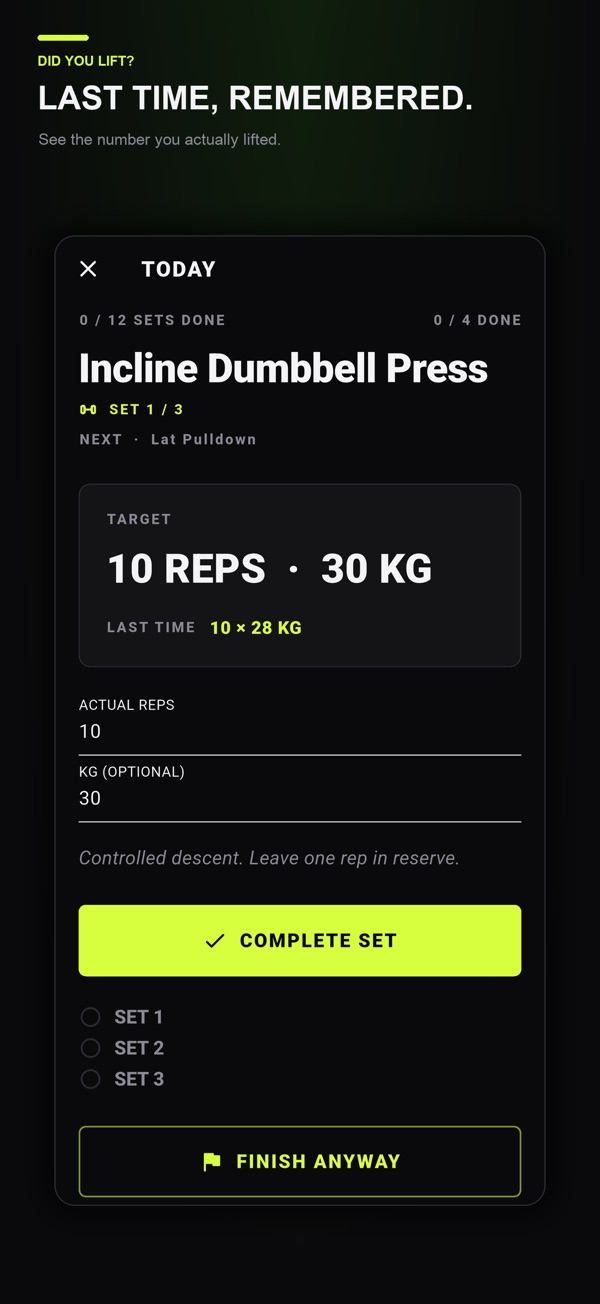
Did You Lift supports individual set targets, actual repetitions and kilograms, an exercise note and an automatic rest countdown after completing a set. In the exercise note, you can write a convention such as “sets 1–2: preparation; sets 3–5: working.” Enter the planned targets from your program and log actual results as you complete each set.
This is a manual naming convention. It does not imply a dedicated warm-up toggle, automatic set classification or a working-set-only volume report. Keep the separate review totals in your own record when you need them.
The app is available on iPhone, iPad and Android and is free to download with optional one-time Lifetime Premium. Previous logged values, the exercise library and advanced week saving, copying and sharing are Premium features. Check your store for current purchase details.
Download Did You Lift if you want individual set results and the rest timer together. For the full plan-versus-result workflow, use the set-by-set workout log template. Choose training targets from a program appropriate to you; this record is not personalized exercise advice.
Common questions
Should I log warm-up sets?
You can log them to preserve preparation and session context. Label them clearly so a working-set comparison does not silently include different preparation work.
Do warm-up sets count in workout volume?
They count in a total labeled all recorded sets. They do not count in a subtotal explicitly labeled working sets only. State the scope and keep it consistent.
Is every light set a warm-up?
No. A light back-off set may be part of the main work in your program. Use the intended purpose, not a universal weight threshold, to label it.
Does Did You Lift automatically exclude warm-up sets?
This guide does not claim an automatic filter. It uses an exercise note and set order to keep the purpose clear, with separate review calculations outside the app.
References and further reading
Published by Moocsoft, the independent studio behind Did You Lift. Examples and worksheets are illustrative. App features can vary by platform and version; see the store listing for current availability and in-app purchases.