Finish the review with a realistic next week, not a bigger list: know your fixed commitments, give unfinished tasks a decision, and make one chosen action easier to start.
The weekly reset checklist
Work through these six questions. Stop when you have enough information to begin the week; you do not need an empty inbox or a perfectly organized home.
- What is already fixed? Review appointments, work shifts, travel and deadlines.
- What needs a decision? Gather unfinished tasks from the places you actually use.
- What fits this week? Choose a small set of priorities after accounting for commitments.
- What practical preparation would help? Pick a concrete household, meal or equipment action.
- What records need updating? Check actual savings contributions or completed sessions if they matter to your plan.
- What will I start next? Write an observable action and make its materials ready.
This is a planning template, not a scientifically optimal schedule. Skip sections that do not apply to your circumstances.

Put fixed commitments before optional tasks
Look at the actual dates before planning an ideal week. A late shift, a school appointment or a travel day changes the space available for everything else. Include preparation or travel time where it matters.
Leave some time unallocated. If a week is already crowded, move an optional project deliberately rather than giving it a deadline you cannot keep. The useful question is “Where could this happen?” rather than “How much can I squeeze in?”
Do not use the review to overwrite existing reminders or appointments. Your calendar remains the place for time-specific commitments; this checklist helps you decide what to put around them.
Give unfinished tasks a decision
Copying every unfinished item into another list can make the new week look busy before it starts. Give each item one of the decisions below. “Later” needs a review point; otherwise it becomes a place to forget things.
| Decision | What to write | Illustrative example |
|---|---|---|
| Next action | A specific action you can start | Find the reference number for the repair request. |
| Schedule | A real date or available time slot | Make the call on Tuesday during the service desk opening hours. |
| Review later | When to decide again | Revisit the course idea after this month’s deadline. |
| Delegate or ask | Who can help and what you need | Ask the landlord who handles this repair. |
| Drop | An explicit decision not to do it | Remove the optional project that no longer matters. |
Keep the wording close to an action. “Sort my life out” does not tell you where to begin. “Put the documents for Wednesday’s appointment in one folder” does.
Choose priorities that fit the coming week
A priority is something you want to protect time for, not every action on the list. You might choose one, two or three outcomes; those numbers are examples, not a rule. A difficult week may need just one essential next step.
Use the following fictional week to see how commitments change the plan. It is a worked planning example, not a recommended exercise program or a financial target.
| Area | What the review found | Decision for the coming week | Prepared next action |
|---|---|---|---|
| Appointments | Wednesday has an early appointment | Leave that morning free of optional tasks | Put the required documents in a folder. |
| Home | The grocery list is scattered across two notes | Make one list before the next shop | Move the needed items into the current list. |
| Savings record | A contribution was made but not recorded | Update the record with the actual amount | Check the transaction before entering it. |
| Existing gym routine | A usual session conflicts with a late shift | Choose an available slot or revise the plan | Check the week view and prepare the gym bag. |
| Optional learning | A new course would compete with a deadline | Defer the decision until after the deadline | Write a date to review it again. |
The reset is complete when these decisions are clear. Completing the appointment, shopping trip or workout comes later.
Use separate records for separate jobs
A calendar tells you when something happens. A task list tells you what to do. A habit record tells you whether a recurring action happened. You do not need to force all three into one streak.
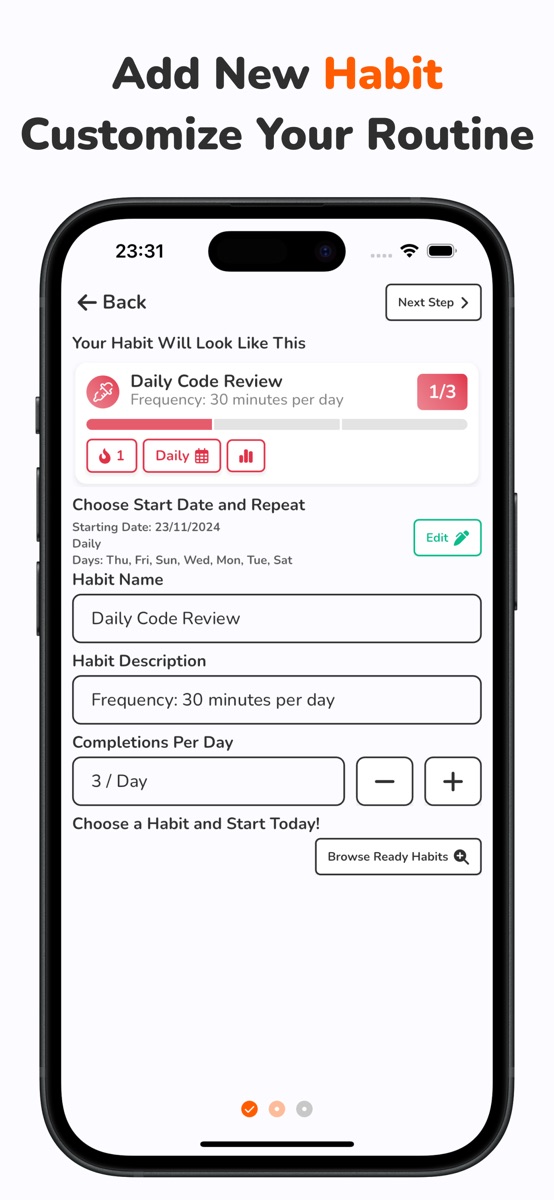
For a repeatable weekly review, Habit Tracker Daily supports weekly repeat schedules and calendar check-ins. Give the habit a clear completion rule, such as “review appointments, decide unfinished items and write my next action.” Mark the review when you do that—not when every planned task is done. The iOS listing places unlimited habits, detailed statistics and import/export among Premium features; check the listing for your platform.
If your review includes money already set aside, Frugal lets you record deposits and withdrawals against a target. A planned contribution is not money saved, and entering a record does not transfer money.
If you already follow a gym routine, Did You Lift provides a weekly planner and a log of actual sets. Review the plan against the coming week’s availability. Planning and completing a session remain different events.
These are separate apps, not a connected planning system. This checklist does not import your calendar, synchronize these records or reset their history.
Use a shorter reset when the week gets messy
If the full review feels too large, answer only three questions: What cannot move? What is the most important unfinished action? What can I prepare now? Write the answers in the place you will actually see them.
If you miss the usual review day, review the days still ahead. You do not need to reconstruct a perfect Sunday or erase old check-ins. If the timing keeps failing, choose another day and a repeat schedule that fits the action.
Keep the previous week’s facts. A missed task may need a different time, a smaller next action or a decision to drop it. It does not establish anything about your character.
Common questions
What should a weekly reset include?
Review fixed commitments, make decisions about unfinished tasks, choose feasible priorities and prepare one next action. Add household or record updates only when they help the coming week.
Does a weekly reset have to happen on Sunday?
No. Choose a time that lets you review the week ahead. A different work pattern may make another day more useful; adjust the schedule if it repeatedly gets missed.
How long should a weekly reset take?
There is no required duration. Keep it short enough to repeat and stop once the important decisions are clear. On a busy week, use the three-question version rather than postponing an oversized routine.
Does checking off a weekly reset mean every task is complete?
No. It means you completed the review you defined. Appointments, tasks, savings contributions and workout sessions need their own accurate records.
References and further reading
Published by Moocsoft, the independent studio behind Habit Tracker Daily. Examples and worksheets are illustrative. App features can vary by platform and version; see the store listing for current availability and in-app purchases.