A substitution needs a new exercise label, a clear weight convention and actual set results. Keep the reason for the change, then compare the record with the same setup—not with the machine you did not use.
The machine is occupied. The log is not broken.
Alex arrives with a planned cable-row exercise. The machine is busy, and there is not enough time to wait. Alex already has a coach-approved alternative for this situation and uses it instead. This is a fictional teaching scene, not a customer story or a recommendation to swap these exercises.
The planned line says “Seated cable row — cable machine A — 10 reps at 30 kg.” The completed work uses a bench-supported dumbbell row with a 12 kg dumbbell. Alex is tempted to tap through the old targets and leave a note saying “machine busy.” That would put dumbbell results under a cable-machine label.
The better record is boring but useful: keep the original work identifiable as not completed, record the replacement by its actual name, and explain why the session changed. You can do that in a paper log first; the principle does not depend on a particular app control.

Write the replacement as its own entry
| Record field | What Alex writes |
|---|---|
| Planned exercise | Seated cable row — cable machine A |
| Change reason | Cable machine unavailable; used the previously agreed alternative |
| Completed exercise | Bench-supported dumbbell row — 12 kg dumbbell |
| Weight convention | 12 kg is the weight of one dumbbell, not a pair |
| Repetition convention | Reps are recorded per side; both sides matched in this example |
| Actual results | Set 1: 8 per side; set 2: 8 per side; set 3: 7 per side |
If the sides differ, write the two results explicitly rather than averaging them. If the setup changes again, note it. “Row, 12, 8” is much harder to interpret a month later than a name, equipment label and stated convention.
The template describes the record you want, not a promise that an app automatically recognizes substitutions, checks exercise suitability or has separate left/right input fields. A short note can carry context that does not have its own field.
Why the new number is not an automatic personal record
The planned 30 kg and the completed 12 kg refer to different equipment and movements. This is not a calculation of how much weaker or stronger Alex became. Even matching numbers on two different machines would not establish an equivalent load or training effect.
Do not combine the old target and replacement results into a single “row progress” line. The next cable-machine session belongs beside a comparable cable-machine session. The next dumbbell session belongs beside the dumbbell record, using the same per-dumbbell and per-side conventions.
A useful note for next time is: “12 kg per dumbbell; 8, 8, 7 per side; bench-supported; replacement because cable machine unavailable.” That is enough to explain what happened without inventing a new personal best. See how to keep personal-record comparisons meaningful and what workout volume totals leave out.
Keep an interruption from becoming a misleading target
Before your next session, ask three small questions:
- Which exercise did I actually complete, and with which equipment?
- Which result belongs to that setup, and which numbers were only the original plan?
- Am I returning to the original plan or intentionally using the alternative again?
Do not let a busy-gym workaround silently rewrite your usual program. Your existing program or qualified coach should decide exercise selection and future targets; a log preserves the facts.
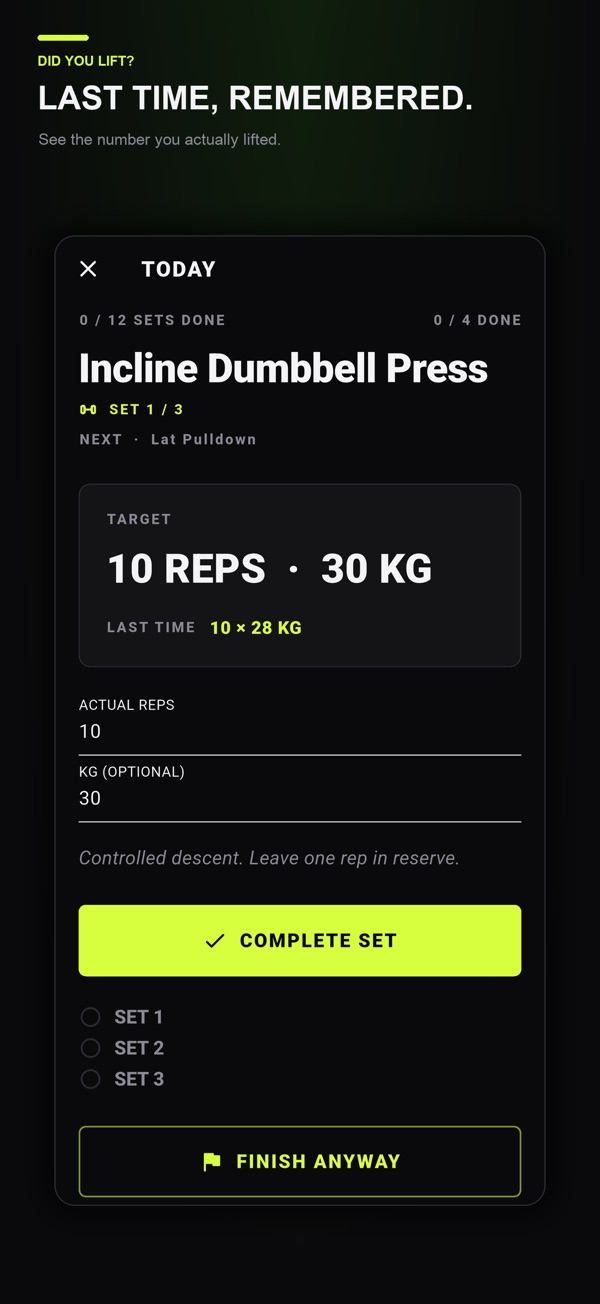
In Did You Lift, exercise names, equipment labels and optional notes provide a place for that context, while actual reps and weight distinguish completed sets from targets. It is a planning and record-keeping tool, not an automatic substitution coach. Optional Lifetime Premium adds features such as last logged values; it is not required to understand this logging method.
Use the set-by-set workout-log template for the rest of the session. If you want to keep those records alongside your plan and rest timer, see Did You Lift for iPhone and Android.
Common questions
Should I enter a substitute exercise under the original name?
Use the movement and equipment you actually used. Keep the reason for the change in a note and do not present the original planned sets as completed.
Can I compare kilograms from a machine and dumbbells directly?
Not as an equivalent-load or personal-record comparison. The numbers describe different setups. Keep each exercise and weight convention identifiable.
Does Did You Lift choose a replacement exercise for me?
This guide does not claim automatic substitutions or individualized coaching. Choose appropriate exercises from your program or qualified coaching, then use the app to organize and record the work.
References and further reading
Published by Moocsoft, the independent studio behind Did You Lift. Examples and worksheets are illustrative. App features can vary by platform and version; see the store listing for current availability and in-app purchases.