kJ and kcal are two units for energy, not energy to add together. First identify the unit and quantity, then convert only if needed. A smaller kcal number after conversion does not mean the food lost energy or that you ate a smaller portion.
Choose the direction before touching the calculator
On food packaging, “calories” usually means kilocalories, written kcal. Kilojoules are written kJ. The NHS food-label guide explains the two energy units and the per-100g, per-100ml and portion headings. The unit belongs with the number every time you copy it.
1,046 kJ ÷ 4.184 = 250 kcal
250 kcal × 4.184 = 1,046 kJ
The calculations here use 1 kcal = 4.184 kJ, the thermochemical conversion listed in the NIST energy-unit table. Hong Kong’s Centre for Food Safety FAQ, section 4.3.6, also gives kcal × 4.184 as a way to calculate kJ. This converts a stated energy amount; it does not measure a food sample.
A useful direction check: for a positive amount, the kJ number is larger than its kcal equivalent. Multiplying a kJ value by 4.184 when you wanted kcal sends the number in the wrong direction. This check catches a unit mistake without telling you how much energy you personally need.

Quick kJ-to-kcal conversion table
These are energy amounts, not foods, meals or recommended intakes. Results are rounded to two decimal places for arithmetic checking. Keep the full conversion factor during a multi-step calculation and round the final result, rather than rounding each intermediate value.
| Starting energy | Operation | Converted energy, approximately |
|---|---|---|
| 100 kJ | 100 ÷ 4.184 | 23.90 kcal |
| 250 kJ | 250 ÷ 4.184 | 59.75 kcal |
| 500 kJ | 500 ÷ 4.184 | 119.50 kcal |
| 1,000 kJ | 1,000 ÷ 4.184 | 239.01 kcal |
| 1,500 kJ | 1,500 ÷ 4.184 | 358.51 kcal |
| 2,000 kJ | 2,000 ÷ 4.184 | 478.01 kcal |
For example, 1,000 kJ is about 239 kcal for the same quantity. If it means per 100 g, write “about 239 kcal per 100 g,” not “239 kcal for the pack.” Conversion changes the energy unit, not the reference quantity.
For a rough mental check, dividing kJ by about four gives the right scale but not the same result as dividing by 4.184. Use the full factor when recording the worked calculation. Extra decimal places show the arithmetic, not extra certainty about the food.
Six worked examples: one unit, one quantity, one result
All label values and quantities below are invented teaching inputs, not values for real products, NutriLens results or suggested portions. Try a calculation, then open its answer. The native disclosures work without JavaScript.
A value shown only in kJ
An invented entry lists 1,000 kJ for the portion. What is that in kcal?
Show the calculation and answer
1,000 ÷ 4.184 ≈ 239.01 kcal
About 239 kcal for that same portion. The number gets smaller because one kcal represents more energy than one kJ. The amount of food has not changed.
Convert in the other direction
Your note says 250 kcal. Express the same amount of energy in kJ.
Show the calculation and answer
250 × 4.184 = 1,046 kJ
1,046 kJ, not 250 ÷ 4.184. This is a unit conversion, not a second meal or extra energy to add to the original 250 kcal.
A 60 g amount from a per-100g label
A fictional food has 1,250 kJ per 100 g, as sold. You measure 60 g on that same basis. Convert its label-based energy to kcal.
Show the calculation and answer
1,250 × (60 ÷ 100) = 750 kJ; 750 ÷ 4.184 ≈ 179.25 kcal
About 179 kcal for the 60 g amount. The quantity factor is 0.6, not 60. Converting 1,250 kJ without scaling would describe 100 g, not the measured 60 g.
A drink measured in millilitres
An invented drink lists 360 kJ per 100 ml. You measure 250 ml of that same drink. What is its label-based energy in kcal?
Show the calculation and answer
360 × (250 ÷ 100) = 900 kJ; 900 ÷ 4.184 ≈ 215.11 kcal
About 215 kcal for the 250 ml amount. The quantity factor is 2.5. Keep millilitres on both sides of the quantity ratio; this example does not assume that 250 ml weighs 250 g.
Combine two separately eaten items
One fictional item contributes 600 kJ and a different item contributes 150 kcal. These are the amounts eaten, not two units printed for the same item. Find the combined energy in kcal.
Show the calculation and answer
(600 ÷ 4.184) + 150 ≈ 293.40 kcal
About 293 kcal for the two items together. Convert the first item before adding. The bare-number sum 600 + 150 mixes units. If the two figures described the same item, adding them would double-count it instead.
Compare on the same quantity basis
Two fictional labels describe foods as sold: A lists 1,250 kJ per 100 g; B lists 280 kcal per 100 g. Which has the lower stated energy per 100 g?
Show the calculation and answer
A: 1,250 ÷ 4.184 ≈ 298.76 kcal per 100 g; B: 280 kcal per 100 g
B has the lower stated energy per 100 g in this example. Both units and reference quantities now match. This says nothing by itself about which food meets your nutritional needs or the energy in two differently sized portions.
In examples 3 and 4, you could convert the label’s energy first and then scale the quantity, or scale first and then convert. With the full factor and the same preparation basis, the unrounded result is the same. Do not take rounded values from the quick table as new exact inputs.
For more on a whole pack, part of a serving or an as-prepared column, use the separate serving-versus-container guide. Those are quantity and preparation questions; this guide’s extra step is keeping the energy units consistent.
When both units are printed, do not add or “correct” them
A label might show an illustrative pair such as 418 kJ / 100 kcal for one stated amount. Those are two ways of expressing its energy, not 418 plus 100. If you want kcal, use the stated 100 kcal for that same amount. Under the conversion above, 100 kcal gives 418.4 kJ; rounding can explain this small illustrative difference.
Do not assume every difference between a printed pair comes only from rounding. The CFS energy FAQ also describes separately calculating energy from nutrient factors. A calculator is not a label-compliance test. Do not overwrite a stated kcal value simply to force it to match the kJ number.
Keep the amount and preparation alongside either unit. FSANZ’s panel guide describes average energy information with serving and per-100g or per-100ml bases. On a U.S. label, the FDA serving-size guide distinguishes serving and package values. Do not read different columns as though they describe the same quantity.
| Check | Keep consistent |
|---|---|
| Energy unit | Convert kJ to kcal or kcal to kJ so both entries use the same unit. |
| Reference quantity | Compare per 100 g with per 100 g, or calculate each actual portion first. |
| Quantity unit | Keep grams with grams or millilitres with millilitres; do not assume 100 ml weighs 100 g. |
| Food and preparation | Use the same as-sold or as-prepared meaning; conversion does not account for added ingredients. |
| Uncertainty | Keep label averages, rounded numbers and estimated quantities identifiable. |
Energy is not a mass unit. Neither kJ nor kcal can tell you grams of protein, carbohydrate or fat without other information. The calories-versus-macros guide explains that separate relationship; converting an energy total does not reveal its nutrient breakdown.
Use the label and a meal photo for different jobs
Keep a short note with the original number and unit, label quantity, measured amount, preparation basis and calculation. If a kcal value is already printed, keep it as your label reference. A meal photo can add context, but it does not turn a converted label value into an independent measurement.
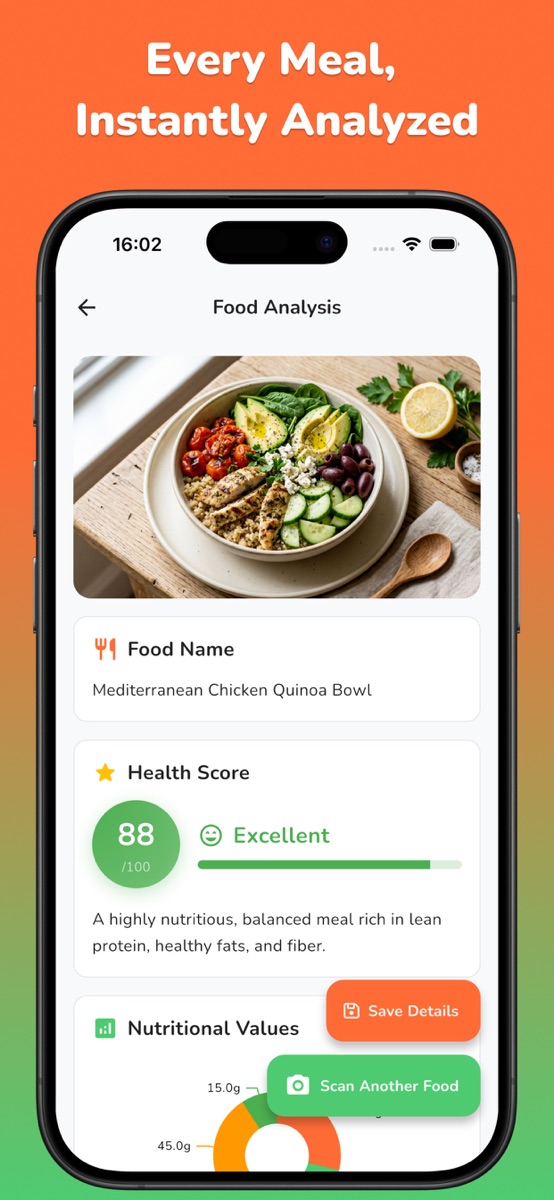
NutriLens supports taking a meal photo or selecting one from your gallery and reviewing estimated calories and macros. Its iOS listing describes a photo-first workflow, not barcode scanning; the Android listing also describes meal-photo estimates. This worksheet does not promise automatic nutrition-label reading, a kJ-to-kcal converter, manual result correction or importing your calculation into the app.
For that separate meal-photo workflow, use the NutriLens store links on this page. It is free to download with optional purchases; subscriptions and scan credit packs are listed on iOS, and detailed analysis and saved-scan history include Premium features. Check your platform’s current store for access. Keep a photo estimate’s food and portion assumptions visible rather than changing your label calculation just to make the numbers agree.
This is general unit and label-reading education, not a calorie target, dietary prescription or health-outcome claim. Neither this arithmetic nor a photo estimate confirms allergy safety or the right intake for an individual.
Common questions
How do I convert kJ to kcal?
Divide the kJ value by 4.184. Keep the reference quantity unchanged: 1,000 kJ per 100 g is about 239 kcal per 100 g, not necessarily the energy for a whole pack.
How do I convert kcal to kJ?
Multiply the kcal value by 4.184. For example, 250 kcal is 1,046 kJ using the conversion in this guide. Do not add the original and converted numbers together.
Are food calories and kcal the same?
On food labels, calories usually refers to kilocalories, written kcal. kJ means kilojoules, a different energy unit. Read the actual unit instead of copying a bare number into a record.
Should I convert before or after scaling my portion?
Either order gives the same unrounded result when you keep the full factor, matching quantity units and the same food/preparation basis. Round at the end. A per-100g value still needs scaling for an amount other than 100 g.
Why do the kJ and kcal values on a label not match perfectly?
Printed values may be rounded, and energy may also be calculated using nutrient factors under the relevant labeling approach. Use the stated value in your chosen unit and on the right quantity basis. A simple conversion is not proof that a label is wrong.
Does NutriLens convert the label values in this guide?
No such feature is promised here. The described app workflow estimates calories and macros from a meal photo. Keep these label calculations separately; the examples are not app screens, scan results or automatic imports.
References and further reading
- NIST: Thermochemical kilocalorie and kilojoule conversion
- Centre for Food Safety: Energy conversion and nutrient-factor calculations, section 4.3
- NHS: UK food labels, per-100g values and energy units
- FSANZ: Energy units, average values and nutrition-panel quantities
- FDA: Serving size on the Nutrition Facts label
- NutriLens: current iOS features and in-app purchases
- NutriLens: Current Android photo estimates and optional Premium features
Published by Moocsoft, the independent studio behind NutriLens. Examples and worksheets are illustrative. App features can vary by platform and version; see the store listing for current availability and in-app purchases.