Write A1 → B1, A2 → B2 and A3 → B3 for three paired rounds. Record six individual set results. State whether a time describes the transition between exercises or the pause after the pair; a missing entry is not automatically a completed or skipped set.
Count exercise sets separately from paired rounds
The American Council on Exercise’s discussion of split routines describes supersets as alternating opposing-muscle exercises with little rest between sets. This guide is about preserving a record when your existing program pairs two movements; it does not select those movements or prescribe how little rest you should take.
Here, one round means one completed set of A followed by one completed set of B. That round contains two exercise sets. Use an A/B label as well as the exercise’s own set number: A1 and B1 belong to round 1, but their repetitions and loads need not match.
“Three supersets” alone is ambiguous as a database entry. Write “three paired rounds; three sets per exercise; six exercise sets” when that is what happened. Those counts describe this two-exercise example, not every circuit or training method.

Follow one original six-set record
Every number below is invented to demonstrate logging. The machine names, loads and repetitions are not a routine to follow, a performance benchmark or a Did You Lift session. Record the machine and its displayed-load convention; a label on one machine is not interchangeable with another machine’s mechanics.
- Round 1A1 → B1Two exercise sets
- Round 2A2 → B2Two exercise sets
- Round 3A3 → B3Two exercise sets
| Entry | Round | Exercise / equipment | Actual reps | Entered machine label |
|---|---|---|---|---|
| A1 | 1 | A — seated row machine | 12 | 25 kg |
| B1 | 1 | B — chest press machine | 10 | 15 kg |
| A2 | 2 | A — seated row machine | 10 | 25 kg |
| B2 | 2 | B — chest press machine | 8 | 15 kg |
| A3 | 3 | A — seated row machine | 9 | 25 kg |
| B3 | 3 | B — chest press machine | 7 | 15 kg |
A has 12 + 10 + 9 = 31 recorded repetitions. B has 10 + 8 + 7 = 25 recorded repetitions. The record therefore contains six exercise sets and 56 repetitions across three paired rounds.
| Exercise | Completed sets | Actual reps | Entered volume-load arithmetic |
|---|---|---|---|
| A — same row machine | 3 | 31 | 31 × 25 = 775 kg |
| B — same press machine | 3 | 25 | 25 × 15 = 375 kg |
The two arithmetic subtotals add to 1,150 kg, but that is not a score of session quality or a reason to compare the two machines’ effectiveness. Keep A and B separately identifiable. Volume load is not mechanical work in joules or an energy-burn estimate. The volume-load guide covers that calculation and its limits.
Do not enter “three sets of 56 reps” in a calculator: 56 already includes all six rows. Likewise, one combined weight field cannot preserve A’s 25 kg and B’s 15 kg. The general set-by-set log template provides the other session fields.
Name the rest boundary before timing it
An interval between A and B is not the same field as a pause after completing both exercises. Record what starts and ends the measurement instead of saving an unlabeled “90 seconds.” Use the timing in your appropriate program or coaching; the following timestamps are examples, not recommended rest durations.
| Boundary | Start event | End event | Observed interval |
|---|---|---|---|
| A1 → B1 transition | A1 last rep: 18:20:00 | B1 first rep: 18:20:20 | 20 seconds |
| After pair 1, before pair 2 | B1 last rep: 18:20:50 | A2 first rep: 18:22:20 | 90 seconds |
In these notes, the 30 seconds spent performing B1 lies between its first and last repetition. That activity time is not included in the subsequent 90-second pause. The 20-second transition can include moving to the other station; it is not automatically passive recovery.
If you need to wait for equipment, record the actual delay and any order change. A configured timer value alone does not prove an observed interval. See the rest-timer guide for a consistent timing convention and browser-timer limitations.
Distinguish an interrupted pair from an unknown entry
Consider a different version of the example: the session explicitly ends after A3 and before B3 begins. A1, B1, A2, B2 and A3 were completed. That is five completed exercise sets, two complete paired rounds and one unpaired A set. It is not three completed pairs.
The recorded repetition count is 12 + 10 + 10 + 8 + 9 = 49. A still has 31 reps and 775 kg of entered volume load. B has 18 reps and 270 kg; the arithmetic aggregate is 1,045 kg. Keep the planned B3 target separate and mark it uncompleted rather than copying a planned result into the actual column.
If B3 is merely blank in an old notebook, you do not know whether it was performed. Call the five rows documented sets and the sum a documented subtotal. A blank, an explicitly unperformed set and an attempted set with an explicitly recorded zero result mean different things.
Check the record: A1, B1, A2, B2, A3 are written down. B3 is blank. What can you safely count?
Five documented exercise sets and two documented complete A/B pairs. A3 has no documented partner. Without an explicit note, B3 remains unknown; do not invent a sixth result or claim that it was definitely skipped.
Keep manual pairing separate from app capabilities
The current Did You Lift App Store listing describes exercise notes, individual strength-set targets, actual reps and kilograms, and a countdown after a completed set. An exercise note can preserve a label such as “Pair A; partner B; see sequence worksheet.”
This is a manual labeling method. The listings do not establish a dedicated superset grouping mode, automatic A/B switching or a timer that waits until a whole round is complete. In particular, a timer described as starting after each set must not be presented as a round-aware superset timer. Check the current interface’s order before using it during a paired session.
If the app flow does not express the A/B order you need, keep that sequence in a separate record. Do not mark an unperformed set complete just to reach another exercise. The ordinary set log and the pairing worksheet serve different purposes; this guide does not promise automatic worksheet import or an automatic round report.
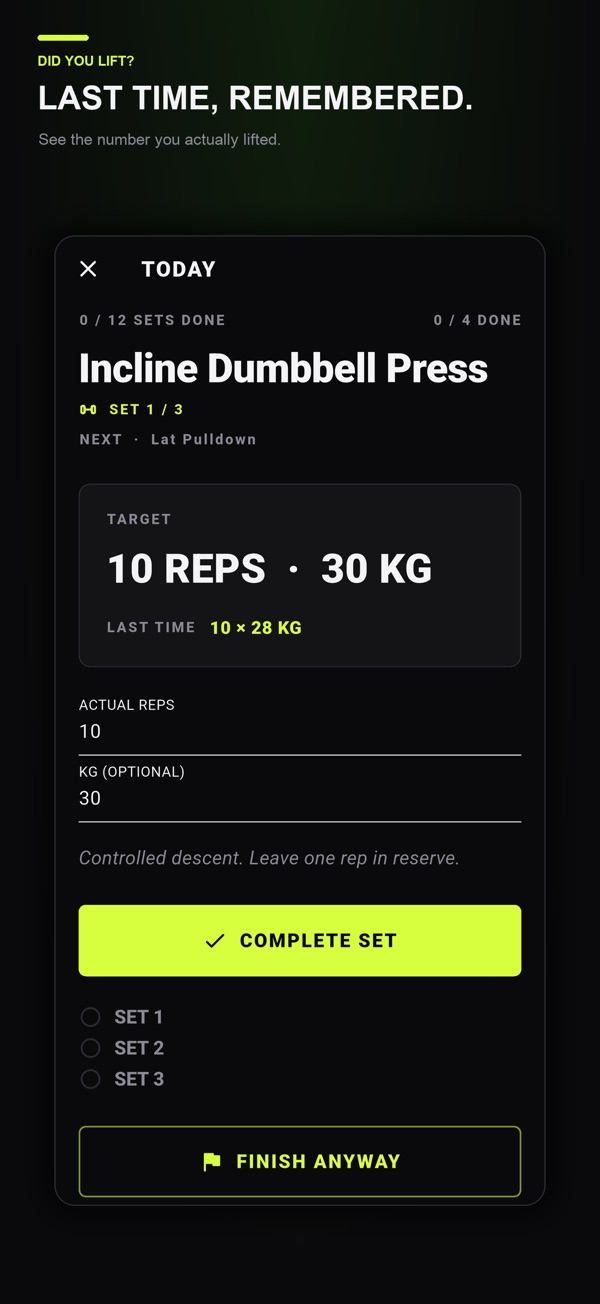
Did You Lift is free to download on iPhone, iPad and Android with optional one-time Lifetime Premium. Previous logged values and advanced week saving, copying and sharing are Premium features; check the relevant store for current access. The official screenshot below remains a normal set-log example, not a simulated superset screen.
Reuse a small header before the next paired session
Copy these fields into whichever record you can use accurately:
- Pair identity: A and B exercise names, equipment and each exercise’s load convention.
- Planned order: the intended A/B sequence and targets from your existing program, kept separate from results.
- Actual record: one row per exercise set, linked by a round label only when the partner is known.
- Timing boundary: transition or after-pair pause, with any actual delay or changed order noted.
- Session ending: last completed entry and whether the remaining partner was unperformed or simply undocumented.
When reviewing a later session, compare the same exercise, equipment, order and units before interpreting a changed result. This worksheet does not recommend supersets, choose suitable loads or decide progression.
For ordinary set-by-set recording alongside your plan, explore Did You Lift and its current store listings. If a dedicated superset workflow is essential to you, verify that capability rather than inferring it from a generic workout-log screen.
Common questions
Are three supersets three sets or six sets?
For this guide’s two-exercise format, three completed paired rounds contain three sets of A and three sets of B: six exercise sets. Write the round count and exercise-set count separately.
Should I combine both exercises into one rep and weight entry?
No. Keep actual reps and load for each exercise set. A round label connects the pair but does not make their loads or repetitions identical.
Where should the rest timer start for a superset?
Name the interval required by your existing program. A transition between exercises and a pause after the pair are different fields. This guide does not prescribe a rest duration or assume that a per-set timer understands rounds.
Does Did You Lift automatically alternate superset exercises?
This guide makes no verified claim of dedicated superset grouping, automatic A/B switching or round-aware rest. Use the current listing and interface to check the workflow; the worksheet is a separate manual record.
References and further reading
Published by Moocsoft, the independent studio behind Did You Lift. Examples and worksheets are illustrative. App features can vary by platform and version; see the store listing for current availability and in-app purchases.