Let the action stay clear while its clock time changes. Plan eligible opportunities in advance, record the actual completion date, and review the next rota before reusing the schedule.
Choose an event cue instead of a fixed clock time
“Read at 7 a.m.” may fit an early shift and conflict with a night shift. An event cue describes a point in your day rather than a universal hour: “After finishing my first meal, read two pages.” It still needs to be an event that genuinely happens in your circumstances.
Write three things before opening a tracker: the action, the cue and the completion rule. For this guide’s fictional reader, the rule is read two pages after the first meal on the five dates selected for this rota. Two pages is an illustration, not an ideal target or a promise that the habit will become automatic.
If the cue never appears on a particular kind of shift, choose another event for the next plan. Do not turn sleep, medication or safety requirements into optional actions to protect a calendar streak. This guide is about recording an everyday reading routine, not managing the health effects of shift work.

Fill in a seven-day rotating-shift worksheet
Copy your next rota into a note or onto paper. Choose the eligible dates before tracking begins, then fill in the result after each action. The following week is fictional; its rest and transition choices are not recommendations for everyone who works these shifts.
| Day | Rota context | Planned opportunity | Result recorded afterward |
|---|---|---|---|
| Day 1 | Early shift | After first meal: two pages | Complete |
| Day 2 | Late shift | After first meal: two pages | Complete |
| Day 3 | Day off | After first meal: two pages | Complete |
| Day 4 | Night-shift transition | Not scheduled in this plan | Unscheduled |
| Day 5 | Day off after night shift | Not scheduled in this plan | Unscheduled |
| Day 6 | Late shift | After first meal: two pages | Missed |
| Day 7 | Day off | After first meal: two pages | Complete |
Use actual dates in your own copy. “Day 1” is only a worksheet label. If your rota is published for a different period, use that period rather than forcing it into Monday through Sunday. Leave a short space for what changed: an extra shift, an unavailable cue or a forgotten check-in.
Copyable setup: Rota dates: ___ to ___. Action: ___. Cue: ___. Done means: ___. Eligible dates: ___. Next review: ___. A list of dates is enough; you do not need a complicated productivity system.
Count planned opportunities, not every empty calendar square
The fictional reader completed four of the five planned opportunities. The schedule-based completion rate is 4 ÷ 5 × 100 = 80%. Day 6 is the one missed planned action. Days 4 and 5 were unscheduled before the week began, so they are not misses under this plan.
Four completed dates out of seven calendar dates is about 57%. That answers a different question: how often the action happened across all dates. Neither number should be presented as the other. Label a manual worksheet rate separately from the app’s own chart or streak, whose definitions and schedule handling may differ.
An unexpected shift can explain a miss without erasing it. Keep “missed; rota changed” in the original plan and choose a different future schedule if needed. Do not retrospectively remove an unsuccessful opportunity from the denominator simply to make the percentage higher. For more on metric definitions, read what a streak and a completion rate actually measure.
Decide the minimum action before a difficult shift
A smaller minimum can be useful when you choose it deliberately, but it must not change silently. Compare two possible reading plans below; pick one before the next tracking period.
| Plan | What earns a completion | What stays a separate note |
|---|---|---|
| Two-page rule | Read at least two pages on each eligible date | One paragraph read is partial progress, not a full completion |
| One-paragraph rule | Read at least one paragraph on each eligible date | Additional pages are extra, not extra completed dates |
Neither rule is inherently better. They measure different actions. If two pages repeatedly does not fit, change the rule from a stated future date rather than marking old partial attempts complete. A note such as “one-paragraph rule begins with the next rota” keeps the history understandable.
A busy-day alternative can also be part of a rule agreed in advance. Write exactly what it is and when it applies. If the boundary becomes too complicated to check honestly, use one simple minimum instead of inventing exceptions every evening.
Use the app for check-ins and keep the rota separate
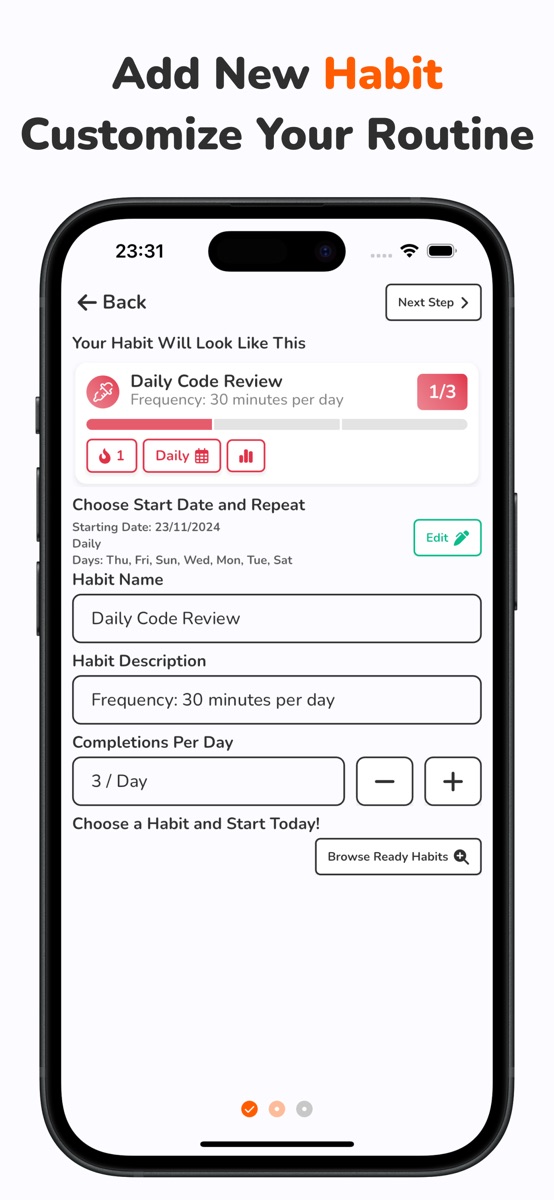
The current Habit Tracker Daily iOS listing describes repeat schedules, a start date, completion targets and calendar check-ins. Name the habit clearly and choose a repeat pattern that represents the plan you can actually maintain. Use the calendar to mark actions after they happen.
A repeat schedule is not the same as importing an employer’s rota or automatically recognizing night shifts. If your irregular eligible dates do not map cleanly to the available schedule, keep the dated worksheet beside the app rather than pretending its chart knows that rule. Check how schedule edits affect earlier dates before using app percentages to compare different rotas. Your worksheet’s 80% calculation is a separate worked example, not a promised app display.
For an overnight shift, use the local calendar date on which the reading actually happened. In another fictional example, a shift starts Monday, October 19, at 10 p.m., and the reading happens Tuesday, October 20, at 1 a.m. Record October 20 and add “Monday-start night shift” to your separate note if that context matters. Select eligible dates with this convention in mind; otherwise one action can accidentally be counted on both dates.
The app is free to download with optional purchases. On iOS, detailed statistics, unlimited habits and file import/export are Premium features. The worksheet remains a manual planning aid; it does not import a rota or synchronize a paper record into the app.
Review the next rota, not your character
At the end of the planned period, look for one concrete adjustment. Was the chosen event available? Was the action clear? Did a planned date conflict with the actual rota? A single missed reading opportunity does not establish a pattern or explain why it happened.
- Keep the completed week as recorded.
- Check the next rota and its actual dates.
- Choose the eligible opportunities before that period starts.
- Keep the same rule if it fits, or record one deliberate change.
- Choose when to review that new period.
For a stable weekday pattern, daily versus weekly habit scheduling can help you choose a simpler setup. When several appointments and unfinished tasks also need decisions, use the weekly reset checklist without treating every task as a new habit.
If you want the recurring-action record on your phone, explore Habit Tracker Daily and check its schedule options against your own plan. Keep the rota in the tool that handles your work dates; use the habit record for whether the chosen action happened.
Common questions
How can I track habits when my shifts change each week?
Choose one clear action and an event cue, then list eligible dates from the rota before each tracking period. Mark the actions that actually happened and keep unscheduled dates separate from missed planned opportunities.
Should days off or night-shift days automatically count as rest days?
No. Decide eligible dates for your own routine before the period begins. The guide’s two unscheduled dates are choices in a fictional reading plan, not rules for everyone who works shifts.
Which date should I mark after an overnight shift?
Use the local calendar date when the action actually happened. If you read at 1 a.m. Tuesday during a Monday-start shift, record Tuesday and keep the shift-start context separately when useful. Do not count the same action twice.
Does Habit Tracker Daily automatically import or plan my work rota?
No automatic rota import or shift-planning feature is claimed here. The verified listing describes repeat schedules and calendar check-ins. Keep irregular eligible dates in a separate worksheet when the available repeat schedule does not represent them accurately.
References and further reading
Published by Moocsoft, the independent studio behind Habit Tracker Daily. Examples and worksheets are illustrative. App features can vary by platform and version; see the store listing for current availability and in-app purchases.